The full range
Everything that is in it.
The start page tells the story of one night. Here is the whole of it — every function on its own, sorted by area, to read through in peace. From the first sign-up to the retention limit afterwards.
The event
An event is ready to go the moment you create it — from the first click to a tidy morning after.
- Ready straight away
- A newly created event is live at once: issue codes, import, scan — nothing waits for an approval.
- Series & tournament
- Group related events into a series (match days, a season) or a tournament (Fri–Sun, festival, congress) and take them live or offline together.
- Duplicate an event
- A finished event becomes the template for the next one in a single click — fields, layout and entrances carried over, the guest list empty.
- Your own time zone
- Every time — doors, sign-up deadline, “date has passed” — is worked out in your event’s time zone, never in server time.
- Venue
- Store the city and the country — for the public page and for a clean evaluation.
- Several workspaces
- An agency keeps many clients apart under one account, a club has exactly one — every workspace neatly on its own.
- Close an event
- A deliberate close ends admission, freezes the log and archives the event by itself 24 hours later.
- Protection against data loss
- Once an event is genuinely in use, the guest list can no longer be emptied in one go by accident.
Sign-up & forms
Your guests sign themselves up — through a form that belongs entirely to you.
- Your form, your fields
- Build the sign-up form from exactly the fields you need — you decide which ones, in which order and with which labels.
- Every field type that matters
- Free text, single and multiple choice, yes/no boxes, number, date and file upload — the right type for every question.
- Your legal texts, your wording
- You write consents, privacy notices and conditions yourself; every agreement freezes the wording shown and its language in an audit-proof record.
- Straight through or after approval
- Decide per form whether sign-ups count immediately or only once you have approved them — for moderated guest lists.
- Cap the places
- Set an upper limit for sign-ups — optionally with a “X places left” counter for your guests.
- Limited places per option
- Cap individual options (“this menu: 40 places”); once one is full, it can no longer be chosen.
- Sign-up window
- A start and an end date open and close sign-ups automatically, with nothing left for you to do.
- Stop sign-ups at once
- One switch ends new sign-ups by hand at any time, regardless of the schedule.
- Waiting list
- Once the allocation is full, an optional waiting list gathers further interest that you can move up after cancellations.
- Show fields conditionally
- A field appears only when another answer calls for it — nested and/or conditions included.
- Try it out safely first
- Walk the whole sign-up flow yourself as a rehearsal — confirmation and code included — before the form goes public.
Guest list
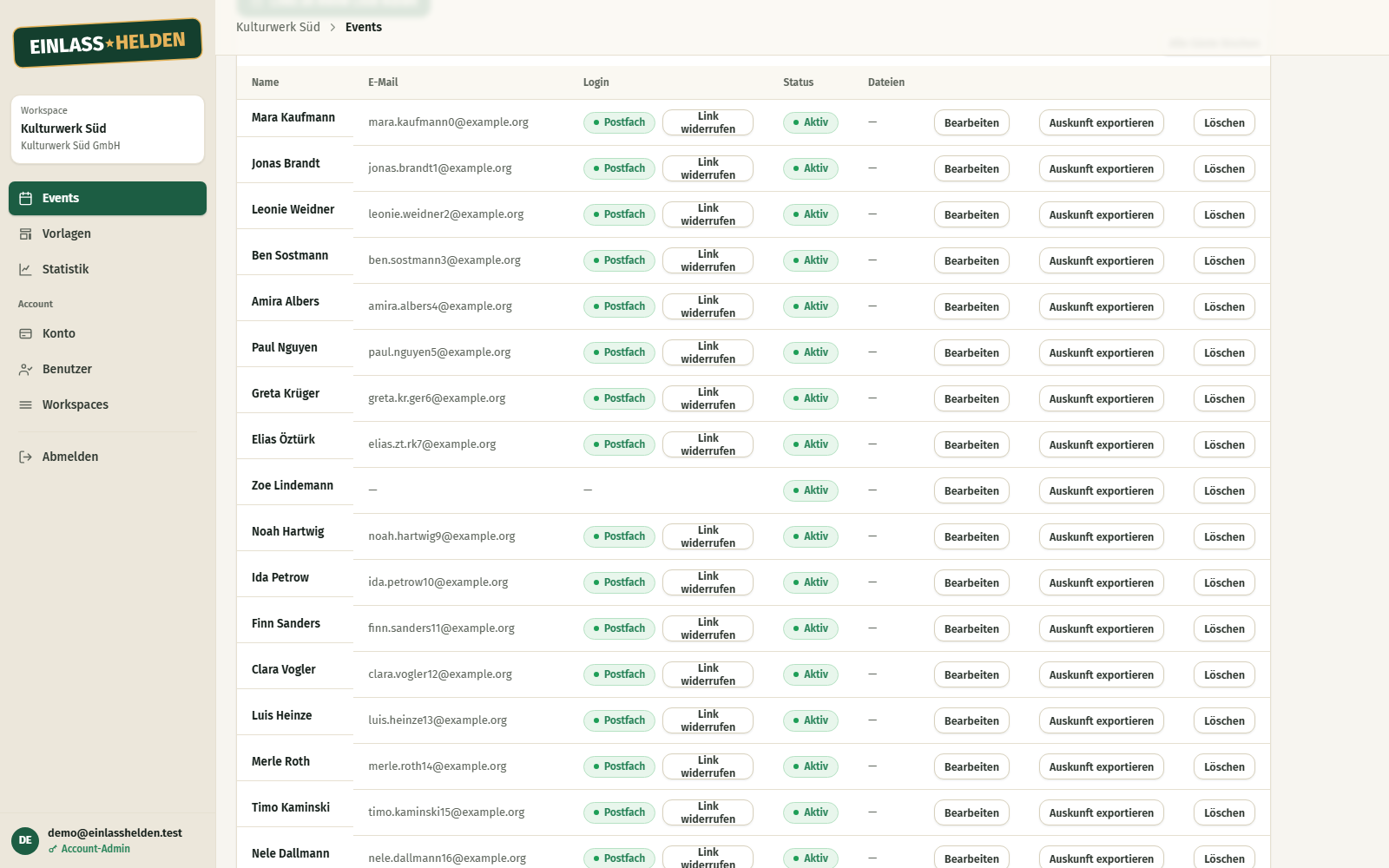
A list that fills itself — imported, signed up or added by hand.
- Its own list per event
- Every event keeps its own clean guest list; the same person on two events stays neatly apart.
- Import your spreadsheet
- Upload the list you already have and see a preview with the check result before a second click really creates it.
- Duplicates are thrown out
- Accidental double entries are spotted; you decide case by case — skip or update, never a second code.
- Shared mailboxes
- Several guests may share one email address (family, team) and each of them still gets their own personal code.
- Add by hand
- Latecomers and one-offs go straight into the list whenever you need them.
- Groups for pre-sorting
- Sort guests into named groups (channel, press, VIP) — for targeted messages, invisible to the guest.
- Your own fields on a guest
- Beyond name and email you store any extra detail — meal choice, size, plus-one — directly on the guest.
- Field templates
- Save a field set you have built once as a template and carry it over to new events in one click.
- Codes without an account
- Every guest fetches their entry codes through a personal link — no registration, no password.
- Bar individual guests
- Withdraw a guest’s access at any time and grant it again — their code is then turned away at the door.
Landingpage & branding
A public Landingpage in your colours — clicked together, without a page-builder course.
The page builder
- Visual builder
- Assemble your Landingpage from ready-made blocks, arrange them by dragging and dropping, and reorder them whenever you like.
- Heading & text
- A large title with a sub-line plus freely formatted text sections — bold, italic, links, lists.
- Image
- Place an image — with a caption, a crop, a width and, if you want, as a clickable link.
- Video
- Embed YouTube or Vimeo — for data-protection reasons it loads only after your guest deliberately clicks, never unasked.
- People & team
- Introduce speakers, a jury or your team — with a photo, name, role, short bio and link, as a grid or a list.
- Action buttons
- Place prominent buttons that lead to another page or to an external address — filled or outlined.
- Columns
- Arrange blocks in up to six columns side by side; on a phone they move underneath each other by themselves.
- Background bands
- Lift a section out with a colour band running edge to edge — the text switches to a readable contrast automatically.
- Several pages & a menu
- A start page plus sub-pages becomes a whole event presence; a menu appears by itself, and you decide the order and any entries of your own.
- Jump marks
- Mark a section as a target so that a menu entry jumps straight to it.
- The sign-up form as a block
- Place the sign-up form on any page — it is a block like any other.
- Protected access pages
- Create secret pages, reachable only through a non-public link, that unlock extra fields — a press area, for instance.
- A readable web address
- Your page runs under a speaking address instead of a cryptic string; the permanent link stays valid even when you rename it.
- Preview = the live page
- What you see in the builder is what your guests see in public — no surprise after publishing.
Look & branding
- Your own logo & colours
- Set a logo and named colour roles — accent, links, headings, background, body text; whatever you leave out inherits a coherent default look.
- Matching shades automatically
- Details such as muted text, dividers and surfaces are derived from your palette — no contrast accident.
- Live readability warning
- Pick colours that would read badly and the system says so straight away — the final call stays yours.
- 15 curated typefaces
- Choose from 15 hand-picked typefaces, all served from our own servers — no external font provider.
- Text size & rounding
- Set the font size (compact/normal/large) and the corner rounding (sharp/soft/round) for the whole page with one slider.
- One default, exceptions per event
- Define your brand look once as the default; individual events may deliberately depart from it.
Legal pages
- Legal notice & privacy policy per event
- Every event gets its mandatory pages — a condition for publishing, linked in the footer of every page.
- Optional terms
- Add a terms page if you need one — voluntary, never blocks publishing, can be hidden per event.
- Maintain them or link out
- Fill in each legal page in the builder yourself or point to the page you already have elsewhere.
- Embed on your own website
- Embed the sign-up form in your own website and set which addresses sign-ups are accepted from.
Access & doors
The heart of it: forgery-proof codes, clearly governed entrances and a scanner that keeps going without a signal.

Tickets & codes
- A personal QR code per guest
- Every guest gets a signed QR code — checkable at the door even offline, and carrying no readable data.
- Anonymous tickets
- For the box office, advance sales or printed cards there are nameless tickets with nobody behind them — freely combinable with the guest list and with sign-ups.
- Tickets in batches
- Create tickets as a named batch (“box office”, “advance sale 1”); export, reprint and barring all work per batch.
- Bar a whole batch
- Invalidate a ticket batch in one go if it was never handed out or has to be called back.
Entrances & routing
- Several named entrances
- An event can have as many independent entrances as you like — main gate, shuttle, backstage — each with its own rule.
- Tie codes to entrances
- Restrict a code to particular entrances; at any other one it is turned away outright.
- Group routing as a matrix
- Set out in one grid (groups × entrances) which entrance admits which group of guests — freely re-routed until shortly before, without reissuing a single code.
- One entry or re-entry
- Per entrance you decide whether a code is valid once or as often as you like — smoking area, shuttle, re-entry.
- One bar list at every door
- Barred guests are handed out to every scanner at the next sync — every door knows the same state.
The scanner at the door
- Every phone a scanner
- A device is enabled for the event through an invitation link and scans immediately — in the browser, with no app to install for anyone.
- Works offline
- The scanner checks codes without a signal and syncs as soon as there is reception again — a dead spot in the marquee does not stop the door.
- A clear verdict per scan
- Green means in: every scan shows “valid”, “already inside” or “invalid” at once — the door decides in seconds.
- Nobody gets in twice
- Anyone already admitted is recognised on the second scan — even if two devices were offline, the first admission stands.
- Door staff without a login
- Whoever scans only types their name when they first open it — no password — and every scan is credited to them.
- See how full it is, live
- Occupancy in total and at every single entrance, in real time.
- Override a warning (if allowed)
- An authorised operator admits despite an “already inside” warning; the decision is logged.
- Manual admission
- A broken or missing code? An authorised operator admits by hand, recorded as a manual admission.
- Admission window
- Set from when and until when scanning is allowed — nobody gets in too early or after closing time.
- Several devices, one picture
- When several doors scan in parallel, the server brings all admissions together and plays the guest list and the bar list back to the devices.
Team & devices
Your team with finely graded rights — and full control over every scanning device.
- Account owners
- An account-level role sets events up completely and reaches every workspace.
- Staff limited to one workspace
- A staff login can be limited to exactly one workspace — keep lists, look at the check-in — with no sight of the account.
- A role just for the guest list
- A lean role may run the guest list — create, import, bar, release — but cannot rebuild the event.
- Invite by email
- Invite staff with an email address, a role and a workspace; they click the link and choose their own password.
- Invitations at a glance
- See every open, accepted and withdrawn invitation per workspace — and pull an open one back after a typo.
- Targeted rights at the scanner
- When you enable a device you decide which entrances it scans at and whether its operator may override warnings.
- Device overview
- Every scanner that has been in use, with its first and last sync and its status at a glance.
- A device signs itself out
- A scanner retires safely on the device itself — it uploads any pending scans first and then wipes its local data.
- Bar a lost device remotely
- Cut off a single scanner deliberately; at its next contact it is refused and told to delete the names it holds.
- Two-factor login
- Everyone on the team secures their access free of charge with an authenticator app and recovery codes.
Email & messages
From the automatic confirmation to a targeted note — all branded, all with consent.
- Confirmation automatically
- Every guest gets their confirmation with a ticket or a code straight after signing up — without you sending a single mail by hand.
- Your texts, your words
- You write the subject and the body of every guest mail yourself; GateHeroes puts the code and the confirmation link in the right place, guaranteed.
- A branded mail frame
- Every mail for an event arrives in the same look with your logo and your colour — set once, coherent everywhere.
- Instant preview
- You see how the mail will look in the inbox while you are still setting it up — exactly as the guest receives it.
- Test mail to yourself
- Before the real send you post yourself the very same mail and check its look and its delivery for real.
- Targeted notes to groups
- A save-the-date or an announcement to a chosen group of guests — kept cleanly apart from the mandatory sign-up mails.
- Consent & unsubscribe built in
- Notes like these go only to guests who have explicitly consented, each with a one-click unsubscribe link that takes effect at once and for good.
- Automatic delivery protection
- Permanently unreachable addresses and complaints are taken out of the send by the system itself — for a clean sender reputation.
- Reliable in the background
- Mails are delivered in the background; if a send breaks off, the system tries again instead of quietly losing a mail.
Statistics & report
The report is ready before the coffee is — always worked out fresh from the real state.
- Always fresh figures
- Key figures are worked out fresh from the current holding at any moment — nothing is precomputed, you see the real state.
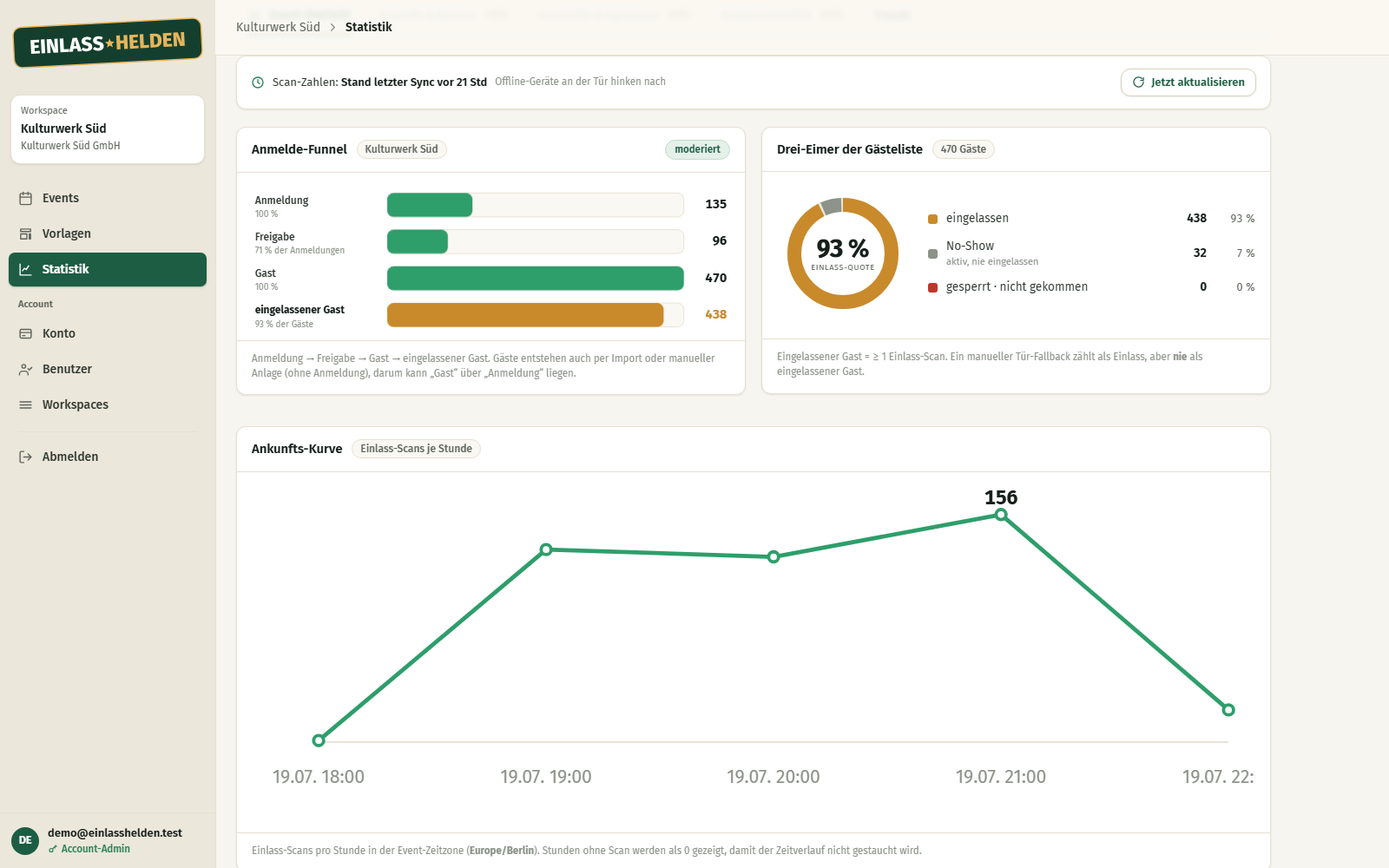
- Sign-up funnel & arrival curve
- See how the sign-ups built up and when the rush peaked during the night.
- Admission rate
- The share of guests actually admitted out of all of them — the key figure for how your door went.
- No-shows
- How many registered guests never turned up; anyone deliberately turned away counts separately, not as a no-show.
- An honest split
- Your guest list divides without a gap into admitted, no-show and turned away — the shares add up to 100 %.
- An account-wide overview
- See the figures across all your workspaces, filtered by the rights of whoever is looking.
- Export & trends (from the middle package)
- Download the evaluation as a document and compare key figures across several events.
Prices & billing
You pay when you throw a party — not in the eleven months in between.
- Per event, not a subscription
- You book a package for exactly one event and pay once — no monthly subscription, no running fees.
- The price follows the guest count
- The price depends on the guest-count tier and is fixed, however many actually turn up in the end.
- Try it out for free
- Build an event completely, see it in full preview, run rehearsal sign-ups and make test scans — all of it without buying.
- Prices in euros
- Every price here is a euro amount per event; which taxes apply depends on the country you are billed in.
- An invoice straight away
- An invoice is drawn up the moment you book.
- Pay by invoice for companies
- Business customers can pay by invoice after approval instead of paying straight away.
- Extras only when you need them
- Beyond the base package you add extensions one by one per event — at a fixed one-off price, without a subscription.
- Reach credit
- For sending many invitations you buy prepaid credit that is drawn per mail, never expires and counts across all workspaces.
- Upgrade the package any time
- Until the event is closed you can move up to a bigger package; the upgrade is billed straight away.
Data protection & security
The GDPR as a relief, not as small print: the data deletes itself.
- Servers & sending in the EU
- Your guest data sits and travels exclusively with EU providers — servers and files in Germany, encrypted backups in Finland, mail delivery through an EU service.
- Data deletes itself
- Every guest detail carries an expiry date and disappears once its purpose ends — data minimisation without you tidying up.
- Access & export at the touch of a button
- If a guest asks about their data, you export everything held on them as a finished package — right of access and portability in one step.
- Delete individual guests safely
- Remove a guest completely, along with every scattered trace, without touching anybody else’s data.
- Sensitive details stay hidden at the door
- Special categories, health details for instance, are never shown in the clear by the scanner — the door only learns whether someone may come in.
- Two-factor login
- Secure your team’s access on top of that with an authenticator app and recovery codes — free of charge.
- Data protection set up by default
- You process guest data only once the contract and the mandatory details are in place — until then import and publishing are locked.
- Nothing left over at the end
- If you end the collaboration, the whole account holding is removed for good — nothing stays behind.
Language
German or English — for you in the back office and for your guests.
- Back office in German or English
- You and your team run GateHeroes in German or in English; the choice hangs on your login.
- The guest page in the event’s language
- The sign-up page, the notices, the buttons and the confirmation mails appear in the language you set for the event.
- Legal texts per language
- If your event offers several languages, the legal notice and the privacy policy exist in every language offered.
- Language follows where you arrive from
- Whoever comes via einlasshelden.de sees German; via the English brand GateHeroes, English automatically.
Launching soon
All of this is waiting for your first event.
GateHeroes is launching soon. Leave your address and we will tell you the moment you can set up your first event.